Decrypt KRPano in 5 Minutes - Version 1.5.0 Released
KRPano Plugin Decryptor 1.5.0 is officially released 🎉! Whether you're a beginner just getting started with KRPano panorama development or an experienced user looking to study panorama projects, this article will help you get started in just 5 minutes and easily decrypt KRPano panorama projects.
🆕 What's New in 1.5.0
- Fixed decryption failures on certain websites — Resolved issues where some special websites couldn't be decrypted properly, significantly improving the overall success rate
- Added support for KRPano 1.23.2 — Keeping up with the latest KRPano version with immediate decryption support
- UI improvements — A cleaner and more intuitive interface for a better user experience
📥 Download & Install
Visit the official website to download the latest version. Just install and you're ready to go — no development environment setup required.
⏱️ 5-Minute Quick Start Guide
Follow the steps below and you'll be decrypting KRPano panorama projects in no time.
Step 1: Launch the Software
After downloading and installing, double-click to open KRPano Plugin Decryptor and wait for initialization to complete.

Step 2: Enter the Panorama URL
Type the URL of the KRPano panorama project you want to decrypt into the address bar at the top of the software, then press Enter.

Step 3: Wait for Loading & Analysis
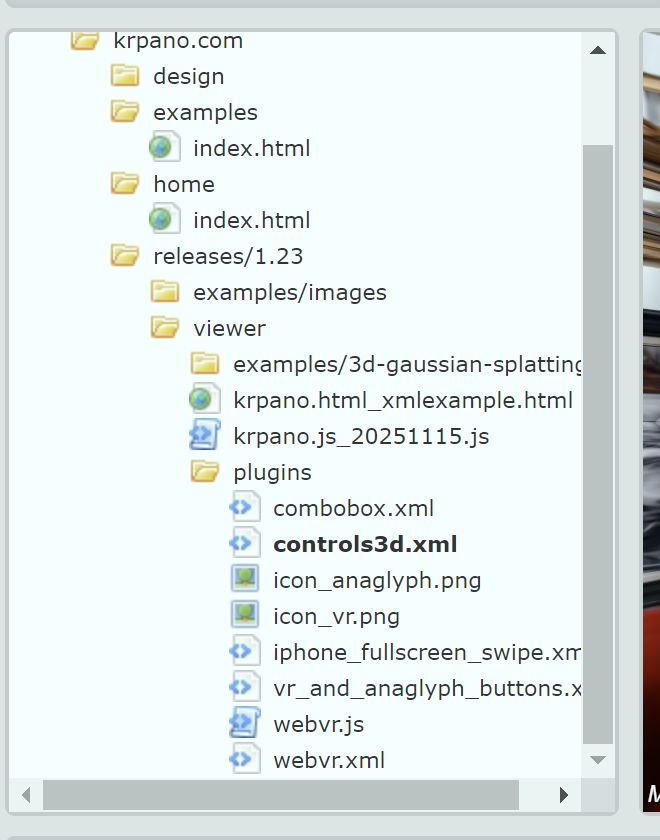
Wait a moment while the software loads the panorama project. Once loaded, you'll see the KRPano version number and a list of all detected encrypted resources in the log panel.
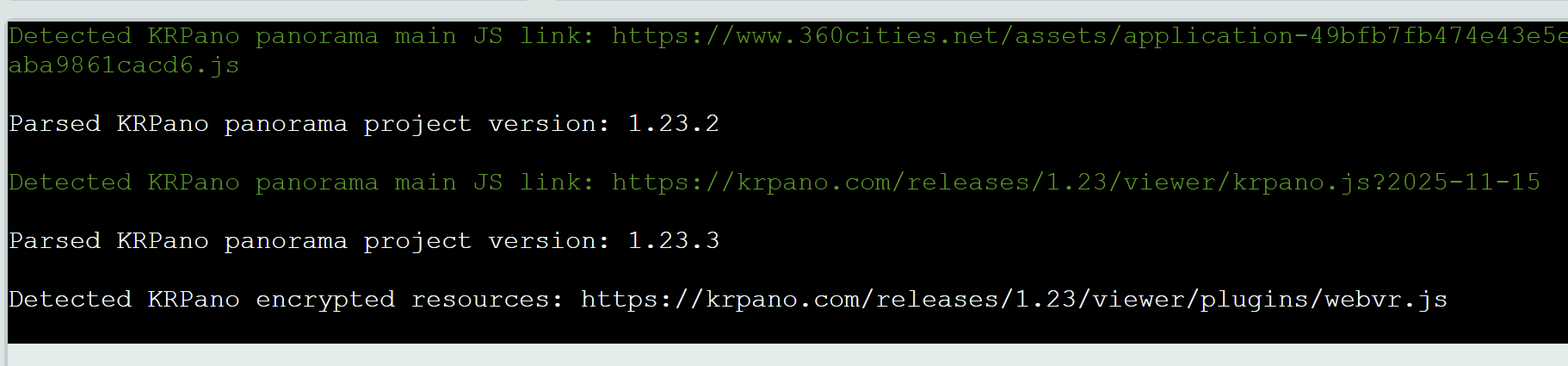
Step 4: Decrypt Files
You have two decryption options:
Option A: Decrypt a Single File
In the resource viewer on the left, find the file you want to decrypt, right-click → select "Decrypt single KRPano XML/JS", then choose a save location.
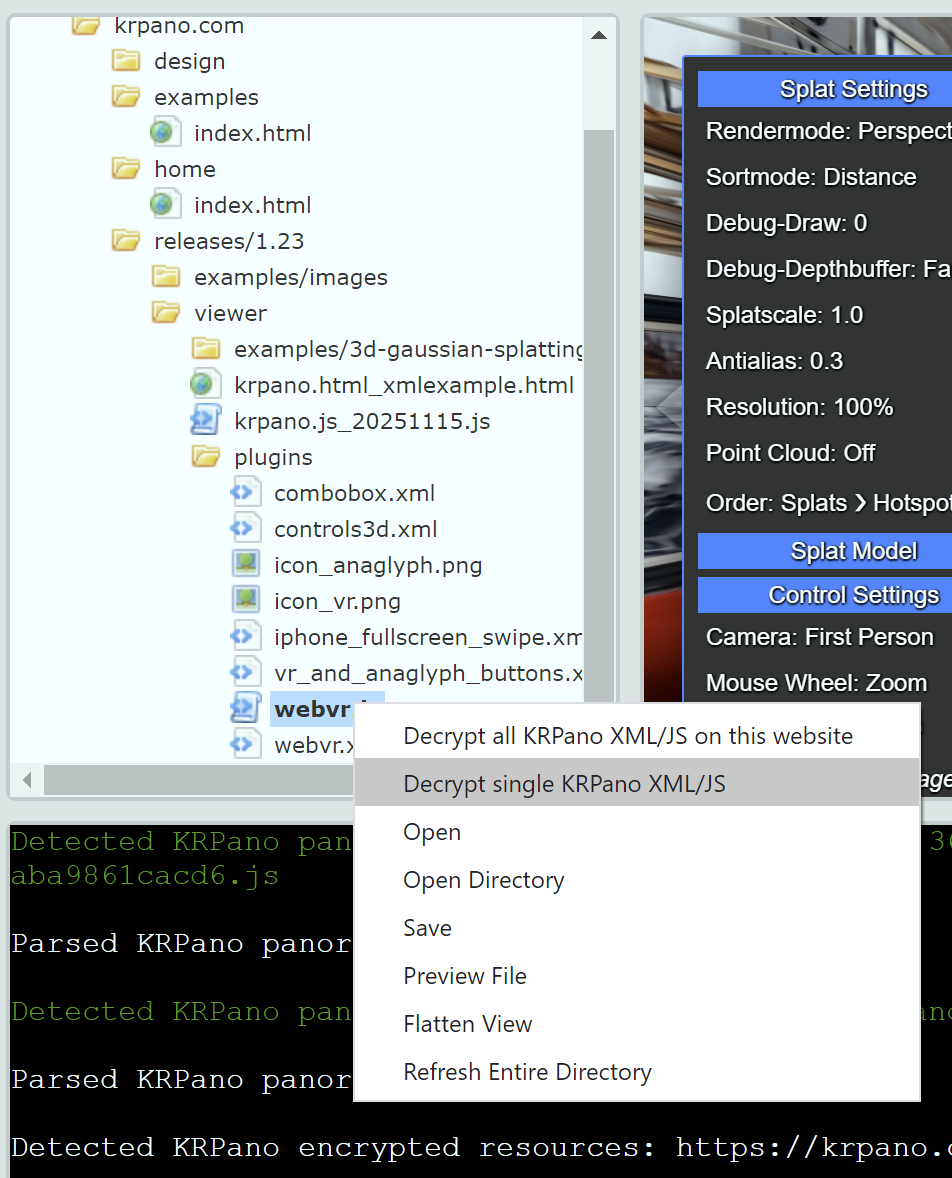
Option B: Batch Decrypt All Files
Right-click anywhere in the software → select "Decrypt all KRPano XML/JS from this website", choose a save directory, and all encrypted files will be decrypted at once.
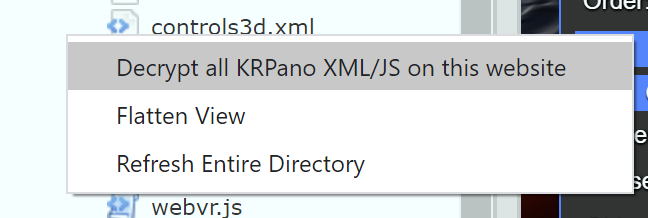
Step 5: View Decrypted Results
Once decryption is complete, open the save directory to find all decrypted files. You can open the XML/JS source code directly with any text editor.
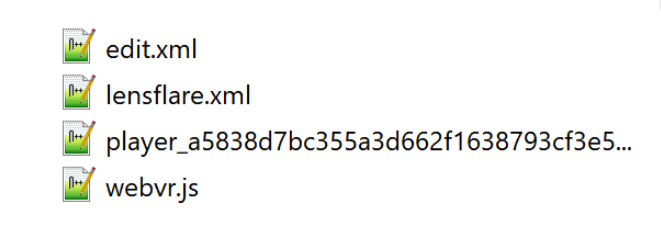
That's it! 🎉 From launching the software to completing decryption — all in under 5 minutes.
🎁 Bonus Feature: Static Resource Download
In addition to KRPano decryption, the software also supports downloading static website resources (images, HTML, JS, CSS, etc.), making it easy to study panorama projects offline:
- Open the target website in the address bar
- The resource viewer on the left will list all resource files
- Select the resources you need and right-click to save
💡 Frequently Asked Questions
| Issue | Solution |
|---|---|
| Decryption error occurs | Try reloading the URL, or update to the latest version |
| Garbled text after decryption | The website may use special encoding — contact technical support |
| Firewall blocking on startup | Check your network connection and disable antivirus blocking |
Upgrade to version 1.5.0 now for more stable decryption and full support for KRPano 1.23.2! If you have any questions, feel free to reach out via email at leapever@foxmail.com.